We have already learned in my previous post that, how to configure Incoming Webhook URL for MS Teams, here we will see, “how to get Webhook URL” in case we missed or forgot to copy the URL while configuring it.
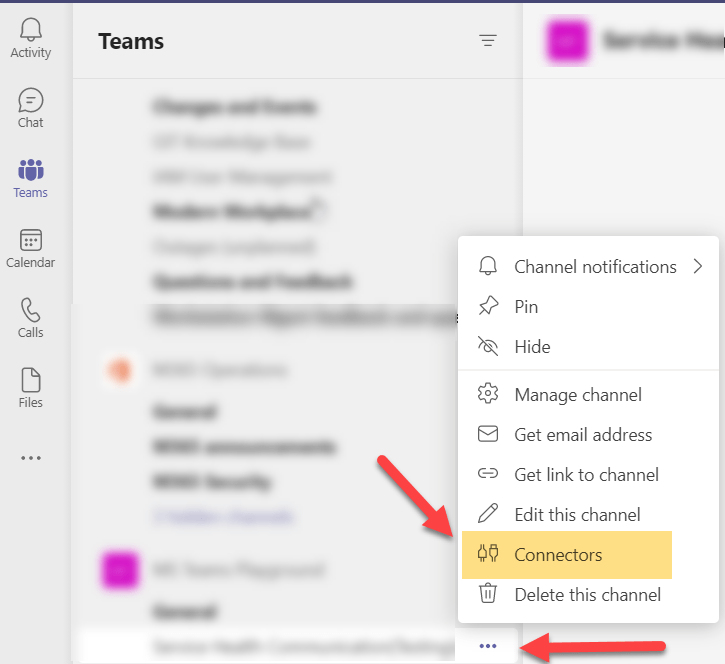
- First go to the channel where Webhook URL is already configured and click(…) for more options.
- Click on connectors.
- Below mentioned window will open up.
- On left hand side, in All Category select Configured(highlighted)
- Now, on right hand side, it will start showing already configured Incoming Webhook
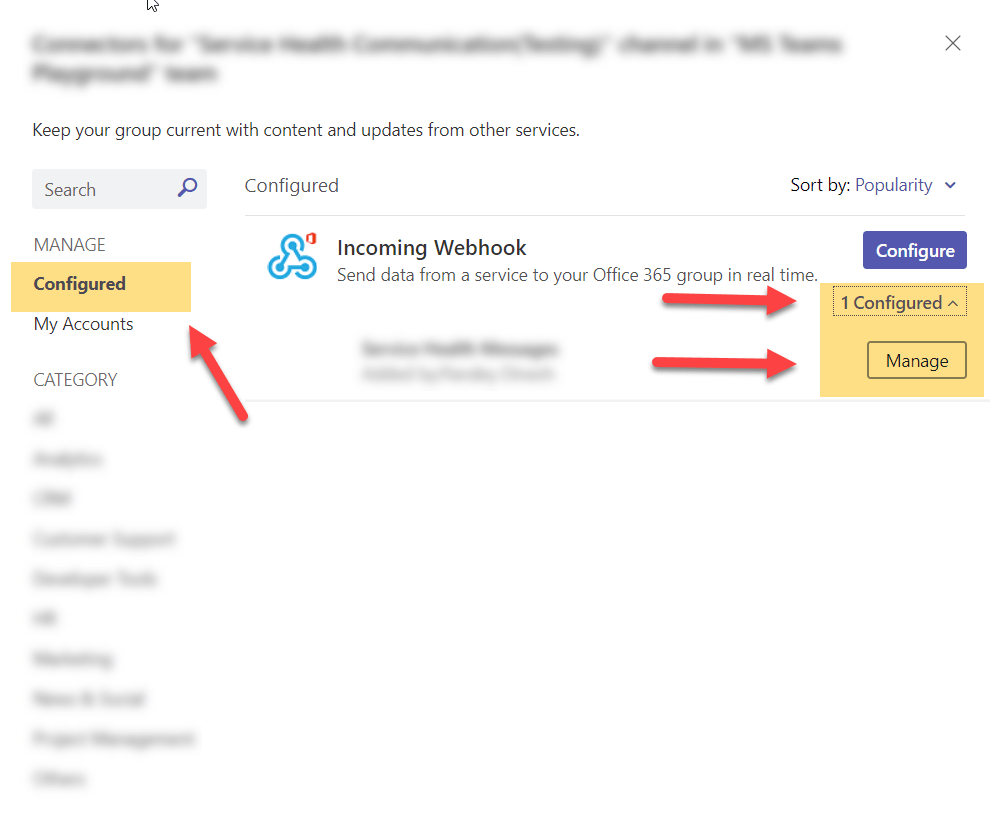
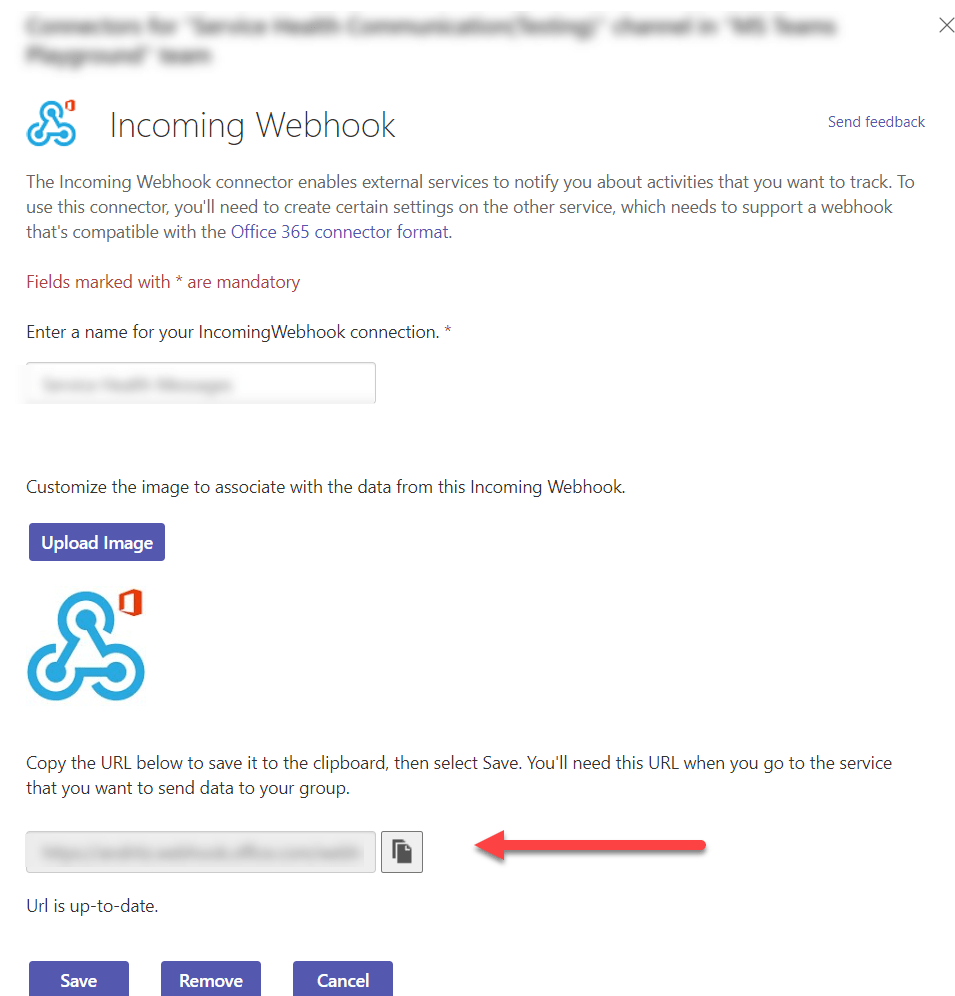
- Under Incoming Webhook, hit Configured already highlighted in above screenshot, and select Manage, from here, already configured connector URL can be copied.
 ITGalaxies